
EEG Information
While you go about the day, your RNS® System monitors and records EEG data in the background. This gives your doctor a glimpse of what’s happening in your brain.
While you go about the day, your RNS® System monitors and records EEG data in the background. This gives your doctor a glimpse of what’s happening in your brain.
Seizure Diary
When you log information in Seizure Tracker™, it gives your doctor an understanding of what was happening in your life.
When you log information in Seizure Tracker™, it gives your doctor an understanding of what was happening in your life.
 Better together
Your RNS® System and SeizureTracker™ are better together. Uniting your seizure diary with your brain activity data can enable powerful insights into your epilepsy.
Getting started...
In order to connect your NeuroPace RNS System data to your Seizure Tracker data, please fill out form below.
With Seizure Tracker...

Keep track of your seizure activity and therapies, then easily share this data through the extensive Seizure Tracker reports.
SeizureTracker.com can be accessed through any computer or mobile browser. When accessed through a mobile device or tablet the websites scales to the window size allowing for effective usage through any device with internet access.
SeizureTracker Website
 Go to SeizureTracker.com
Visit SeizureTracker.com from any web browser and set up a new account.
Calendar navigation
Easily navigate the website through the calendar based navigation.
More than just seizures
You can record detailed seizure information along with many other data points that may or may not effect seizure activity.
Visualize your data
Seizure Tracker offers multiple ways to compare the data you enter. Some of the graphs included: Seizure count by day, week and month, Seizure Type counts by week and month, Seizure percentages by time of day, etc..
Extensive reporting
All data collected in Seizure Tracker can be easily shared using the robust reporting system. Reports can include all the textual data entered along with the related graphing capability.
Visit the Help Section to learn more.

Record seizure activity as it happens with the Seizure Tracker mobile apps. Having a seizure recorder handy will improve the acuracy of the data you collect and help your care providers make better treatment desicions.
All the features of the mobile app are mirrored on SeizureTracker.com. Data collected can be easily stored and shared through the Seizure Tracker reporting system.
Apple iOS Instructions
- You can visit the Apple App store by clicking here.
Note: You might be asked for the app to be able to access your camera, microphone and location services. Those are all optional to run the app but compliment the services available on the app and website. You can turn them on or off at anytime. - Navigate to the app settings page by clicking this icon: Scroll to the SeizureTracker.com section
- Enter the username and password you used when creating the account earlier in this process.
- Press the “Quick Capture” button (looks like a movie clapper) to start timing and video recording seizures as they happen. You can use the “+” button to enter seizures manually (without the timer and video).

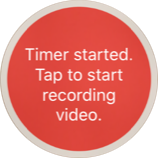
Using the app video feature
- Use the “Quick Capture” button to start the app timing the seizure.
- Press the red button in the middle of the screen to start the video recording.
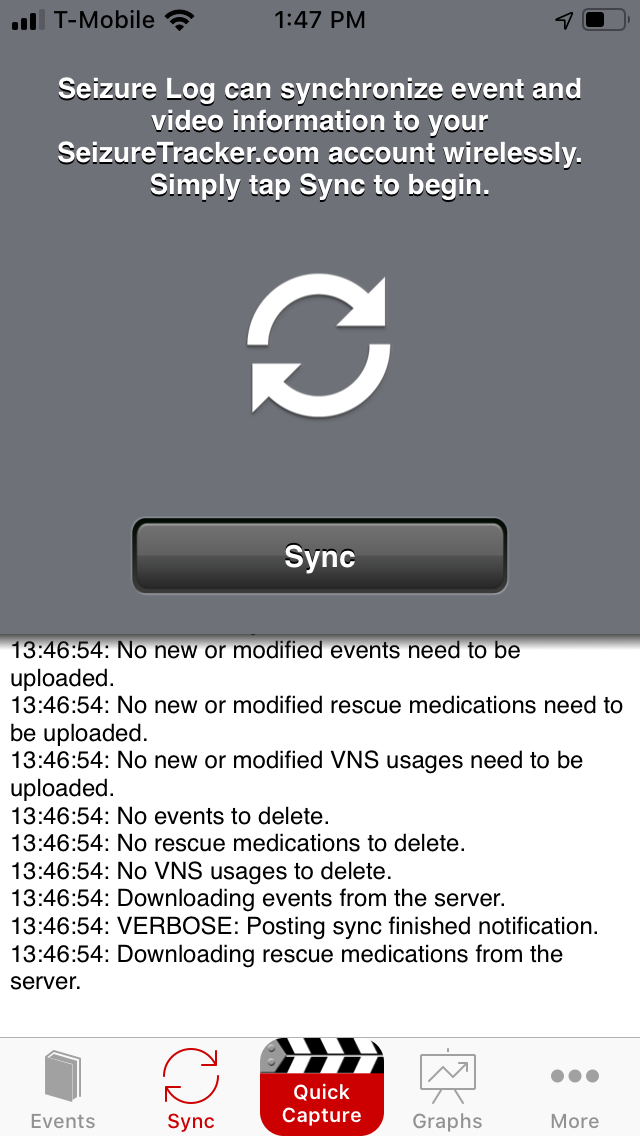
Syncing seizure data/videos
You must manually sync your seizure diary data to SeizureTracker.com to share it with Neuropace and/or with your doctors.- Press the sync button on the app navigation menu You will be forwarded to the data sync page of the app.
- Confirm your intent to sync your data by pressing the “sync” button.
- Do not navigate away from this page until you get a confirmation that the sync is complete.
Record seizure activity as it happens with the Seizure Tracker mobile apps. Having a seizure recorder handy will improve the acuracy of the data you collect and help your care providers make better treatment desicions.
All the features of the mobile app are mirrored on SeizureTracker.com. Data collected can be easily stored and shared through the Seizure Tracker reporting system.
Android Instructions
- DOWNLOAD the the Seizure Tracker app to your Android device.
Note: You might be asked for the app to be able to access your camera, microphone and location services. Those are all optional to run the app but compliment the services available on the app and website. You can turn them on or off at anytime. 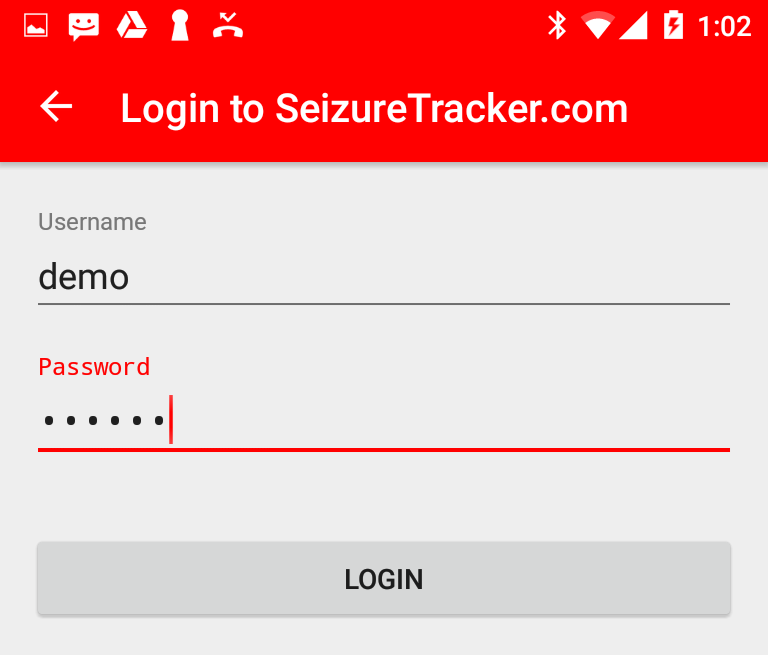 Navigate to the app settings page by clicking this icon: Scroll to the SeizureTracker.com section
 - Enter the username and password you used when creating the account earlier in this process.
- Press the “Quick Capture” button (looks like a movie clapper) to start timing and video recording seizures as they happen. You can use the “+” button in the upper right corner of the event library screen to enter seizures manually (without the timer and video).
Using the app video feature
- Use the “Quick Capture” button to start the app timing the seizure.
- Press the red button in the middle of the screen to start the video recording.
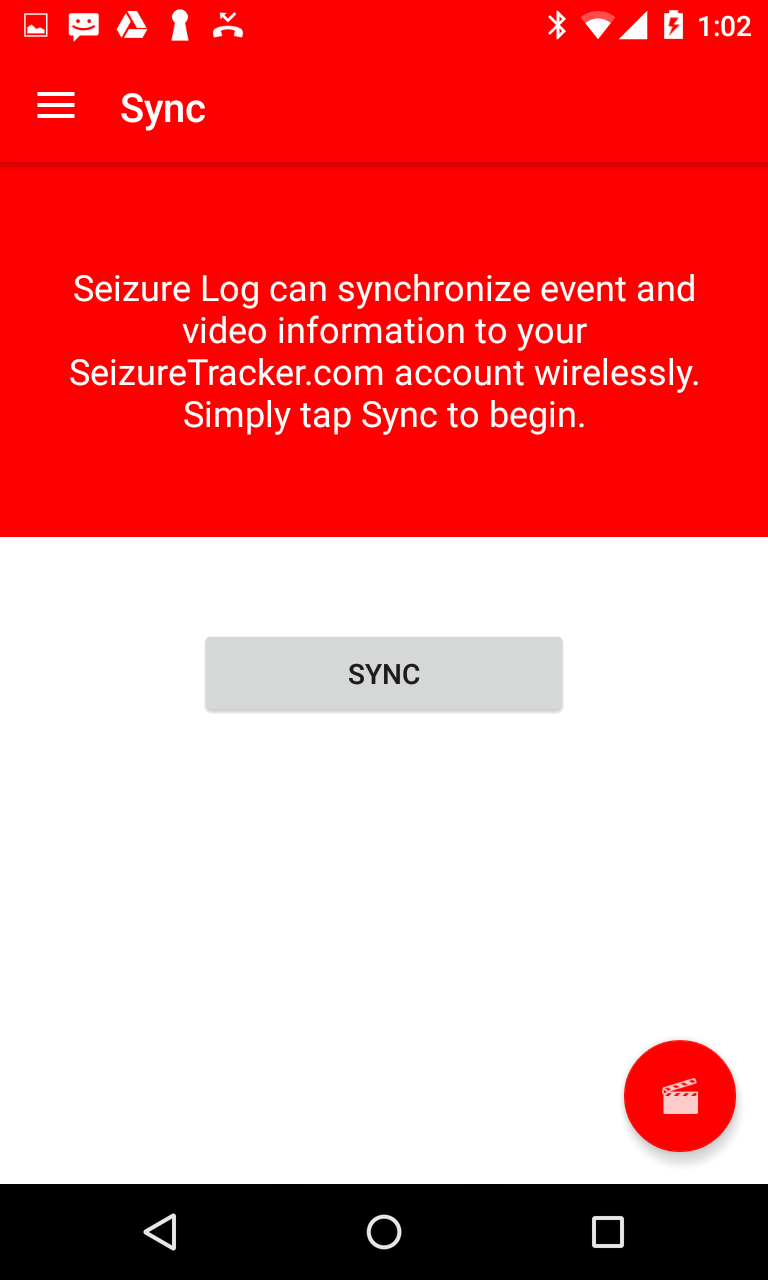
Syncing seizure data/videos
You must manually sync your seizure diary data to SeizureTracker.com to share it with NeuroPace and/or with your doctors.- Press the sync button on the app navigation menu. You will be forwarded to the data sync page of the app.
- Confirm your intent to sync your data by pressing the “sync” button.
- Do not navigate away from this page until you get a confirmation that the sync is complete.
Record seizure activity as it happens with the Seizure Tracker Alexa Skill. Use your voice to enter seizure data into Seizure Tracker via Alexa.
Data collected can be easily stored and shared through the Seizure Tracker reporting system.
Alexa
ConnectConnect Alexa to your SeizureTracker.com account.
Track
Ask Alexa to "track a seizure"
Tell Alexa the seizure is over
Review Ask Alexa to how many seizures have been recorded that day
More features
We have more features planned for the Alexa skill. Stay tuned!
Visit Amazon to enable the skill on your devices.
Please submit the form below if you need specific support...